WELCOME TO MY DIGITAL WORLD

Hi, I'm Ransh Aamerya

Professional Web Developer

I create modern web experiences with clean design, smooth interactions, and responsive development.

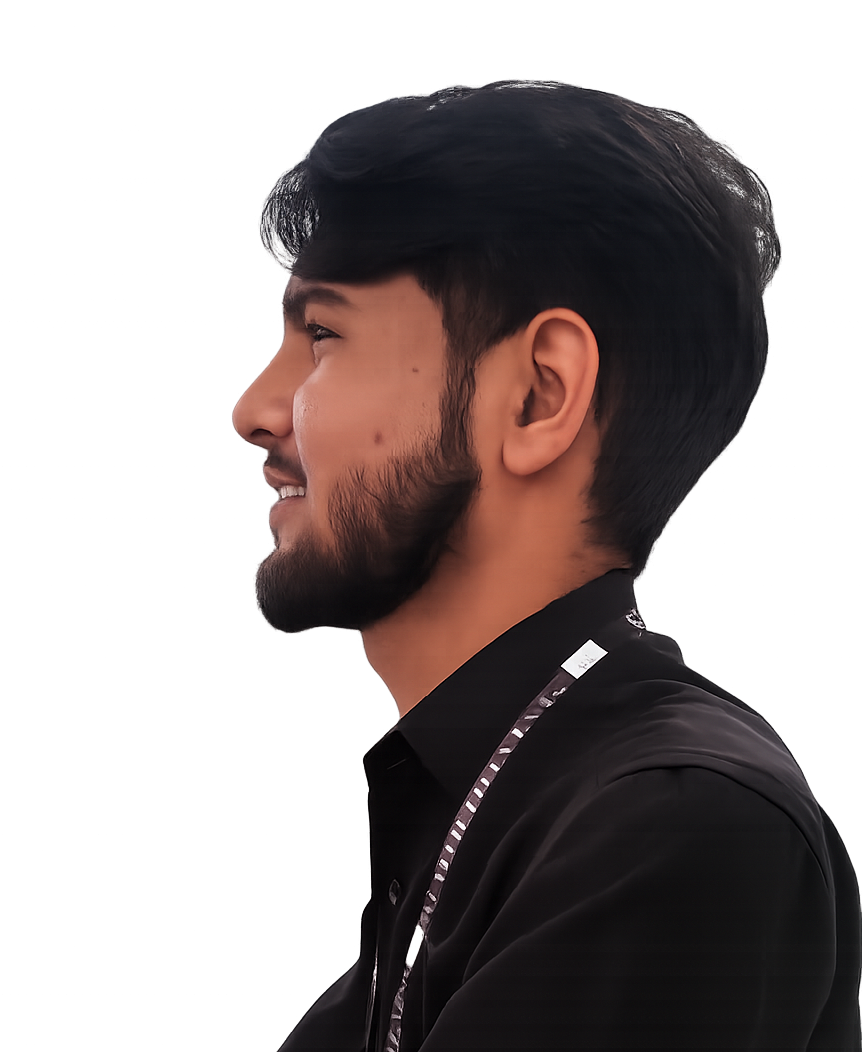
profile

Who I Am?

Who I Am?

I’m Ransh Aamerya, a Frontend Developer specializing in modern, responsive, and visually polished websites. I build clean, fast, and user-focused web experiences using HTML, CSS, JavaScript, and React.

I’m passionate about turning ideas into engaging digital interfaces and continuously enhancing my skills to create effective and high-quality frontend solutions.

My Skills

UI Design

Modern user interface design for web and mobile apps.

Web Development

Responsive websites using HTML, CSS and JavaScript.

React Development

Building dynamic web apps with React JS.

GitHub

Hosting code, managing repositories, collaborating with developers.

Bootstrap

Responsive framework for fast and modern websites.
My Projects

DEVELOPMENT

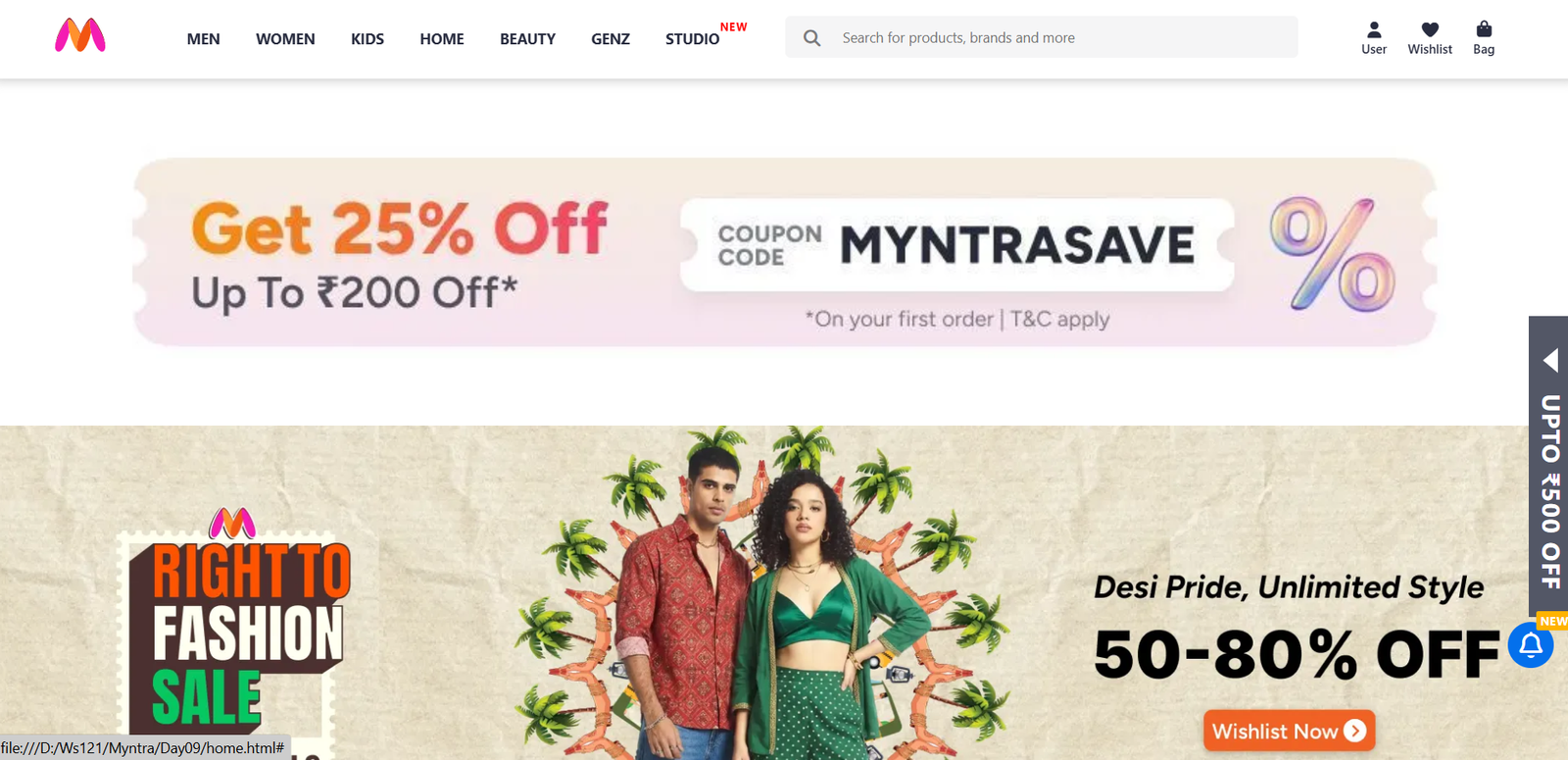
Myntra Website Page

I developed a front-end clone of the Myntra website, focusing on replicating its visual design and layout structure. This project emphasizes accurate UI implementation, including product listings, banners, navigation menus, and overall styling inspired by the original platform.

The primary goal of this project was to strengthen my understanding of layout structuring, CSS styling, and building real-world interfaces using clean and organized code. This version is a static (non-responsive) implementation designed specifically for desktop view.

Key features

  • Multi-page e-commerce structure with Home, Men’s listing, and product detail pages
  • Sticky header with logo, navigation menu, search bar, and profile actions
  • Promotional homepage banners and category-based shopping sections
  • Product listing page with filter sidebar for category, brand, price, and color
  • Product detail page with breadcrumb trail, ratings, pricing, color options, size selection, and add-to-bag area
  • Floating free-shipping banner and notification bell UI
  • Footer with shopping links, customer policies, app promotion, social links, and trust indicators
  • Large asset organization with separate folders for banners, brands, categories, colors, and product images

What I Learned

  • How to build a realistic e-commerce front-end layout using only HTML and CSS
  • How to structure multi-page navigation for shopping websites
  • How to design product listing and product detail pages with clear information hierarchy
  • How to create sidebar filters, promotional sections, and category grids
  • How to manage large sets of assets and organize them cleanly in a project
  • How to improve visual consistency and spacing across multiple pages in a commercial-style UI
GitHub Live Demo

2026

DEVELOPMENT

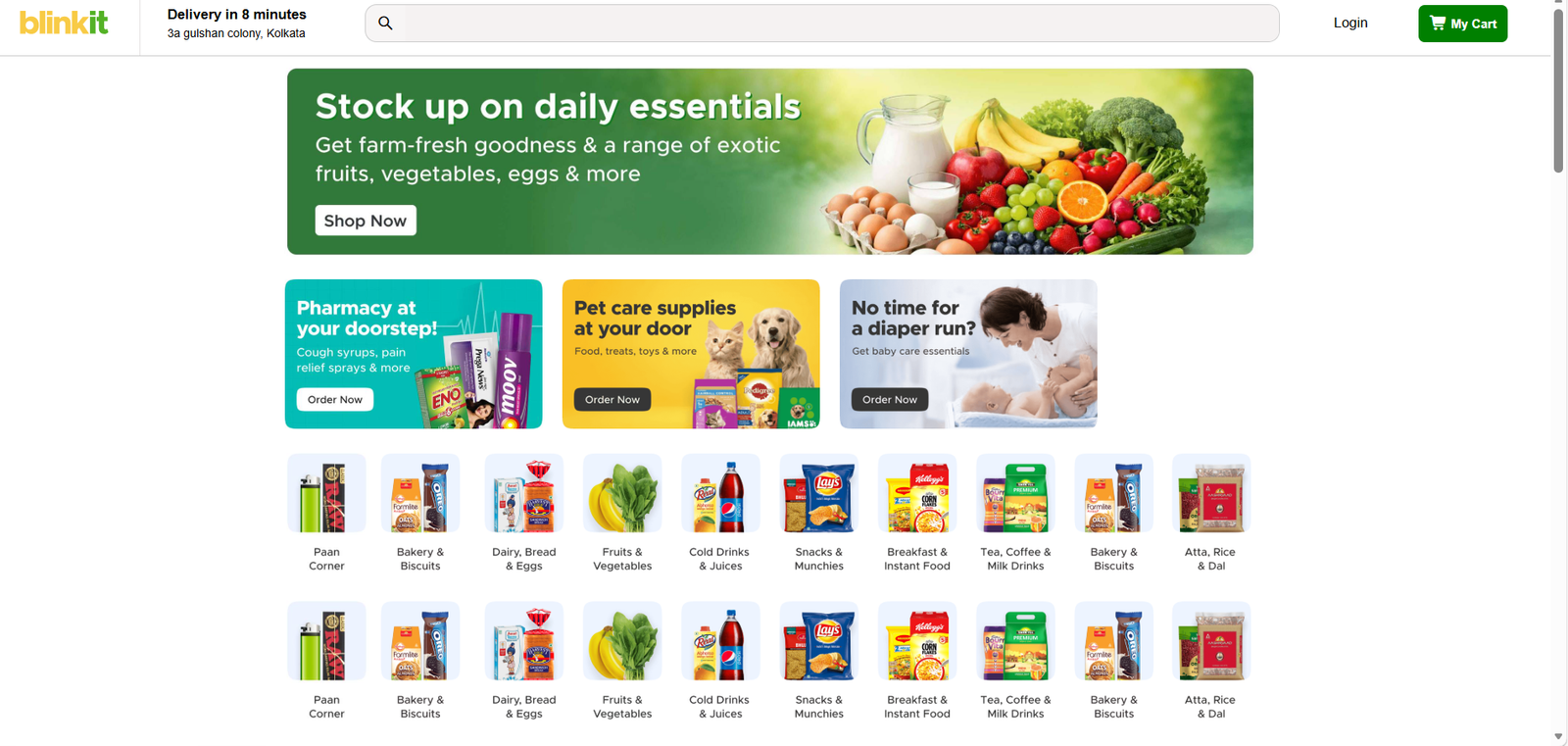
Blinkit Responsive Web Page

This project is a responsive front-end clone of the Blinkit grocery delivery website, built to recreate a modern quick-commerce user interface. It includes a structured homepage layout with delivery information, search bar, promotional banners, category sections, horizontally scrollable product rows, pricing cards, and footer content. The project focuses on clean e-commerce layout design, card-based product presentation, and responsive behavior across mobile, tablet, and desktop screens.

Key features

  • Fully responsive design (Mobile, Tablet, Desktop)
  • Clean navigation bar and category sections
  • Product cards with modern UI
  • Fast loading and optimized layout
  • Pixel-perfect design inspired by Blinkit

What I Learned

  • How to build a responsive e-commerce landing page inspired by a real product UI
  • How to structure reusable product cards and category sections
  • How to use Flexbox for layout alignment, grids, and horizontal scrolling sections
  • How to create responsive breakpoints for mobile, tablet, and desktop layouts
  • How to adapt product listing layouts from horizontal rows to wrapped responsive grids
  • How to improve usability by changing layout behavior for smaller devices
GitHub Live Demo

2026

DEVELOPMENT

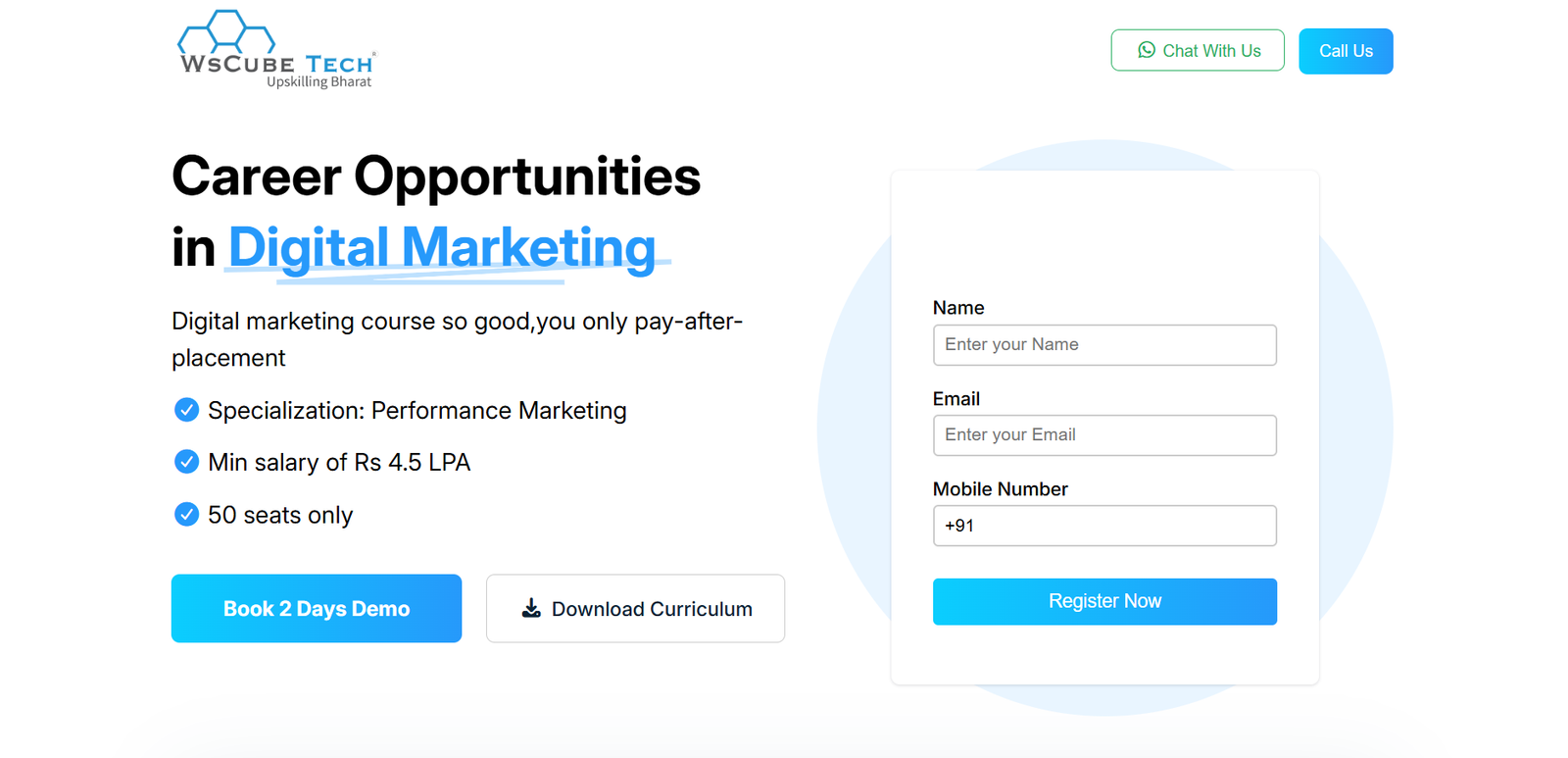
Digital Marketing Landing Dashboard(FIGMA)

I designed and developed a static (non-responsive) landing dashboard inspired by the digital marketing page of WsCube Tech. The project began with designing the complete UI in Figma, where I planned the layout, color scheme, typography, and overall visual hierarchy.

After finalizing the design, I converted the Figma layout into a fully functional front-end interface using clean and structured code. The project focuses on accurate UI implementation, proper alignment, and maintaining design consistency. This version is optimized for desktop view and demonstrates my ability to translate design concepts into real-world web interfaces.

Key features

  • Designed complete UI in Figma
  • Structured landing page layout
  • Product cards with modern UI
  • Dashboard-style sections for services
  • Clean and visually consistent UI

What I Learned

  • Designing complete UI in Figma from scratch
  • Converting design into code (Design → Development)
  • Improving layout accuracy and spacing
  • Understanding real-world landing page structure
GitHub Live Demo

2026

DESIGN UI/UX • DEVELOPMENT

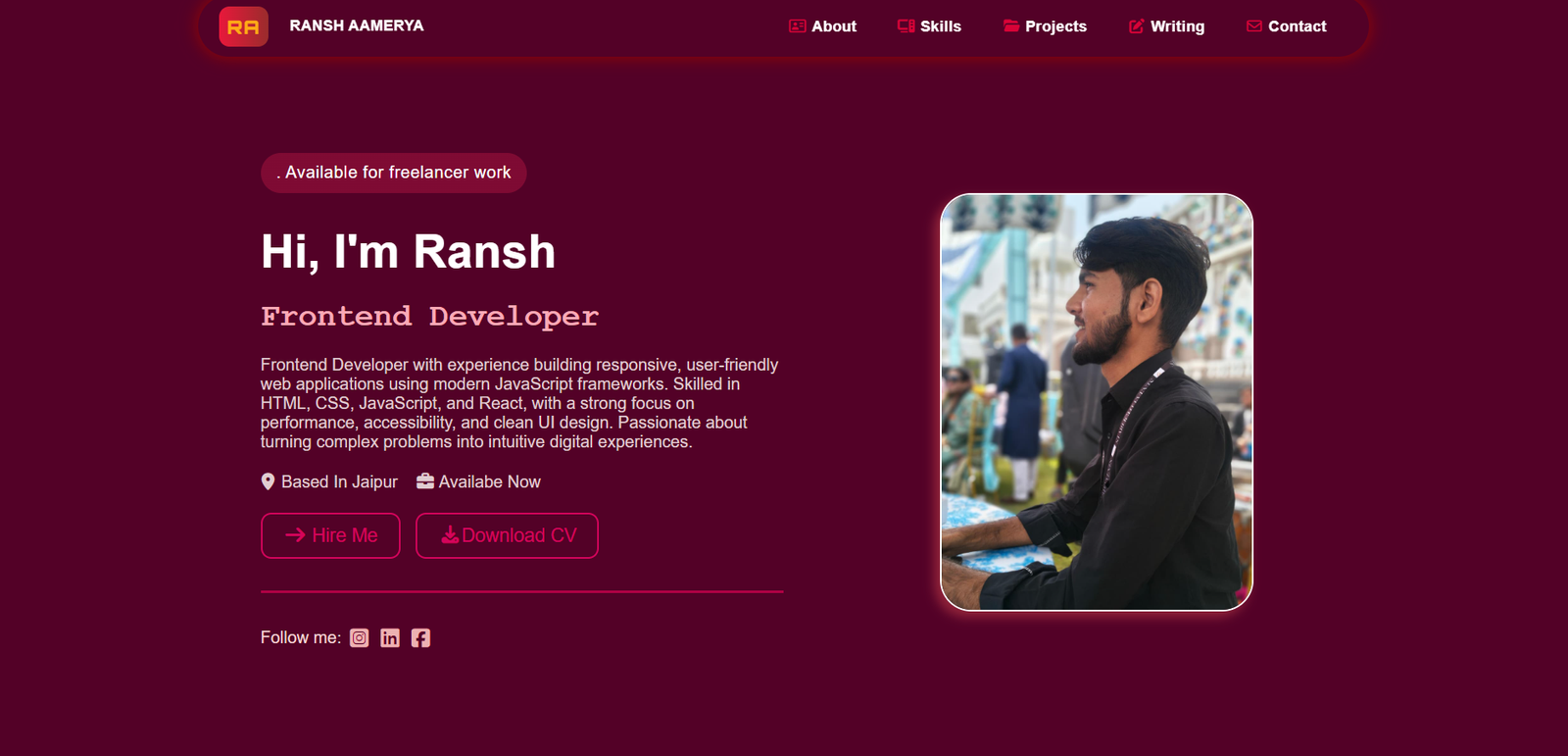
Portfolio

This project is a modern personal portfolio website built to showcase my profile, technical skills, featured projects, testimonials, and contact information in a professional and visually engaging way. It focuses on presenting my work clearly while creating a smooth and interactive user experience through a structured layout, responsive design, and dynamic frontend functionality.

Key features

  • Responsive personal portfolio layout with sections for hero, about, skills, projects, feedback, and contact
  • Sticky navigation with active link highlighting
  • Slide toggle menu button for quick navigation access
  • Project image slider with previous/next controls and dot indicators
  • Automatic feedback/testimonial slider
  • Modal popup for viewing feedback cards in detail
  • Contact form validation and submission using Google Apps Script
  • Live date and time display in the footer
  • Social media links and downloadable CV integration

What I Learned

  • How to structure a complete multi-section portfolio website in a clean and scalable way
  • How to use JavaScript for DOM manipulation and interactive UI behavior
  • How to build sliders, dot navigation, and modal popup interactions
  • How to validate forms and connect frontend forms with Google Apps Script
  • How to improve user experience through responsive design and interactive elements
  • How to combine design, functionality, and personal branding in a single project
GitHub Live Demo

2026

DESIGN UI/UX

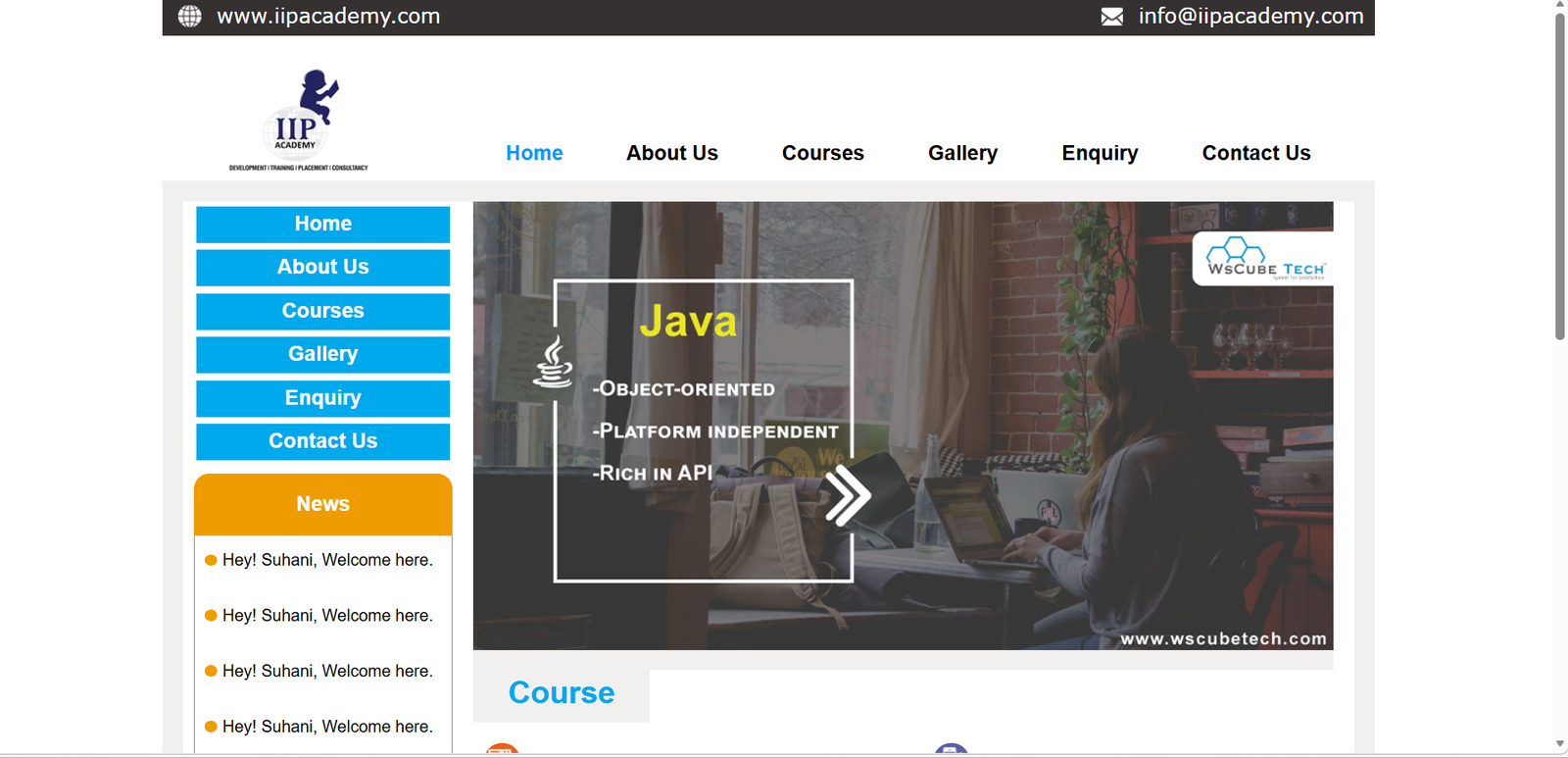
Landing Web Page

This project is a multi-page educational institute website built to represent an academy-style platform with structured navigation and dedicated pages for Home, About Us, Courses, Gallery, Enquiry, and Contact Us. The website presents institute information, course offerings, gallery content, enquiry details, contact information, and training highlights in a clean and organized layout. It focuses on clear navigation, information hierarchy, and a traditional multi-page web design structure.

Key features

  • Multi-page website structure with separate pages for Home, About, Courses, Gallery, Enquiry, and Contact
  • Header section with website link and email information
  • Navigation menu with active page highlighting
  • Sidebar quick links and news section
  • Course listing section with icons and categorized presentation
  • Banner and content sections for institute information
  • “How We Work” visual section
  • Footer with quick links, training links, contact details, and social media icons
  • SConsistent layout and styling across all pages

What I Learned

  • How to build and manage a complete multi-page static website
  • How to create reusable layout sections such as header, navigation, sidebar, and footer
  • How to structure content clearly for informational websites
  • How to use CSS for page layout, spacing, colors, and section styling
  • How to maintain design consistency across multiple HTML pages
  • How to organize assets like images, icons, and supporting folders in a structured project
GitHub Live Demo

2026

×
DESIGN UI/UX • DEVELOPMENT

Myntra Web

About the Project

A showcase of my recent projects demonstrating expertise in full-stack development, modern frameworks, and creative problem-solving.

TECHNOLOGY
HTML CSS JS
YEAR
2026

Recent Articles

Visit My Blog & Keep Your Feedback

Jan 31, 2026

How to Improve Web Design for Better User Experience

This article explores practical ways to improve web design through better layout, usability, and consistency.

March 11, 2026

How JavaScript Enhances Website Interactivity and User Experience

This article explores how JavaScript improves website interactivity, usability, and user experience.

Jan 24, 2026

From Junior to Senior: My Learning Journey

This article shares my journey from junior to senior through continuous learning, practice, problem-solving, and technical growth.

Have Question?

Contact Me Now

Hey Suhani